
Webka for Support
Webka is used by internal administrators and moderators who are responsible for maintaining platform quality, handling escalations, and enforcing policy. Prior to this project, moderation tasks were handled through spreadsheets, disconnected dashboards, and manual processes. This resulted in significant operational inefficiency and a high cognitive load for administrators.
The goal was to create a centralized admin tool that would unify moderation workflows, streamline task queues, improve visibility into content states, reduce errors, and enhance overall operational efficiency.
Webka for Support
Webka is used by internal administrators and moderators who are responsible for maintaining platform quality, handling escalations, and enforcing policy. Prior to this project, moderation tasks were handled through spreadsheets, disconnected dashboards, and manual processes. This resulted in significant operational inefficiency and a high cognitive load for administrators.
The goal was to create a centralized admin tool that would unify moderation workflows, streamline task queues, improve visibility into content states, reduce errors, and enhance overall operational efficiency.
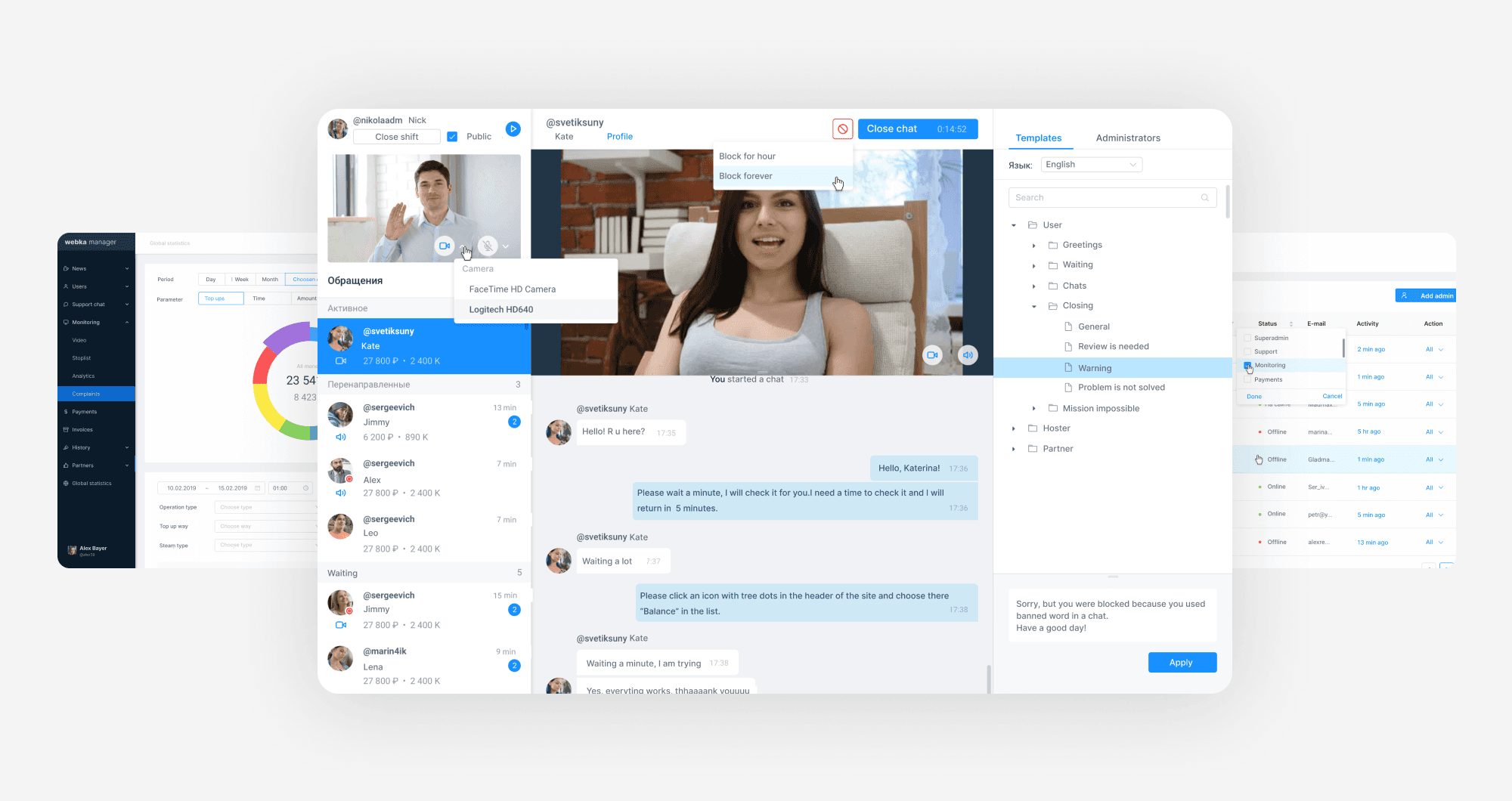
Core Product Screens
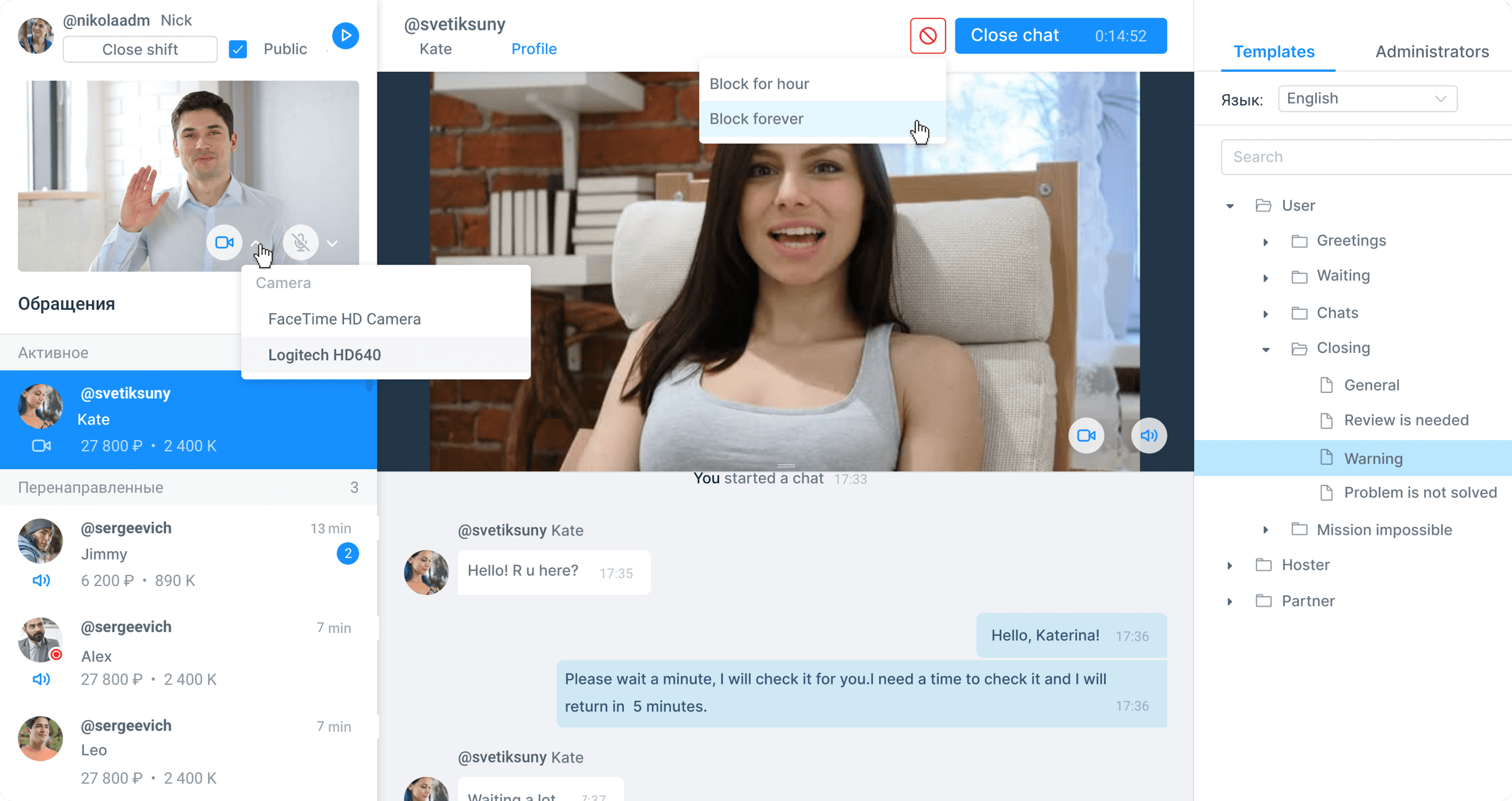
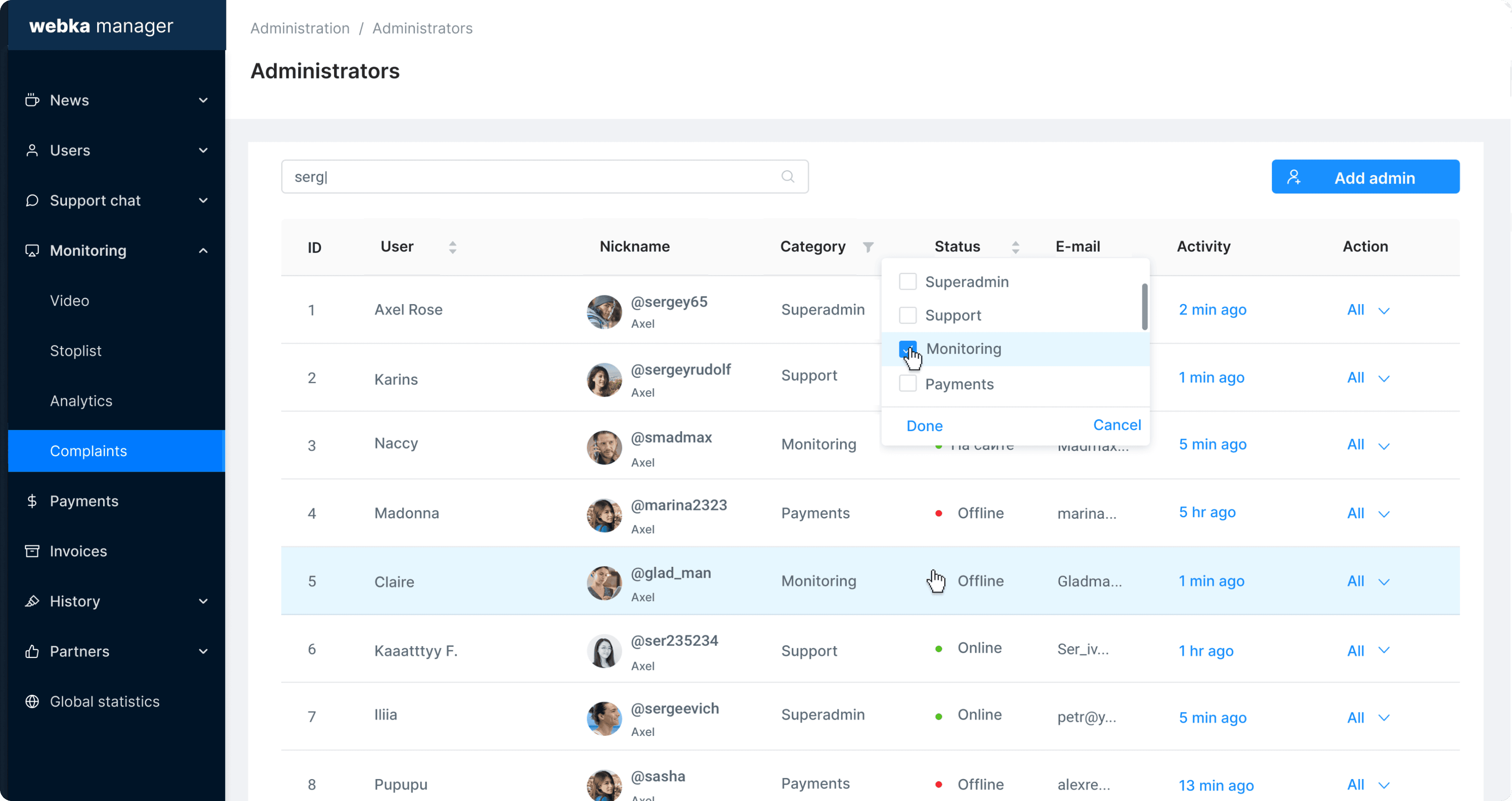
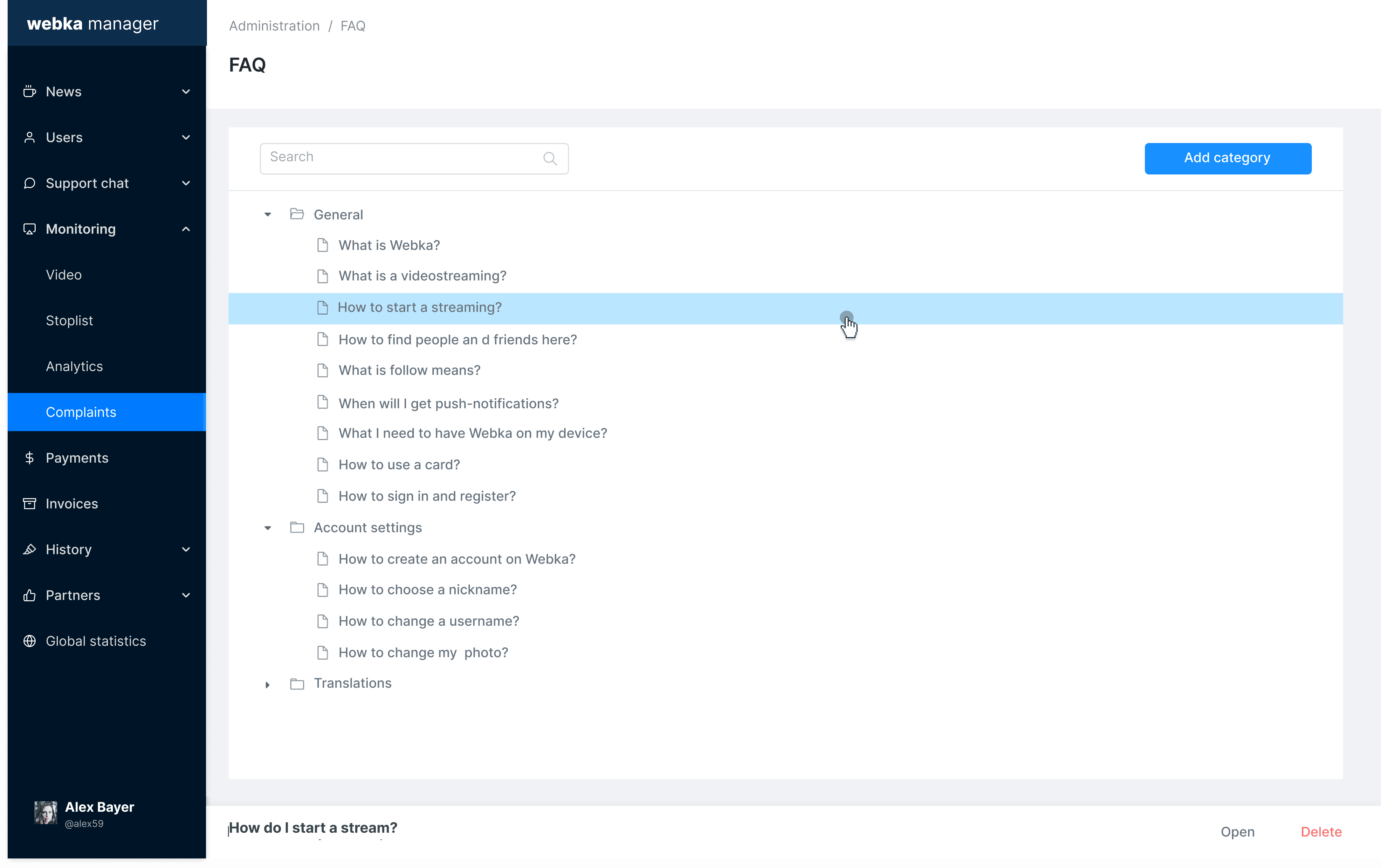
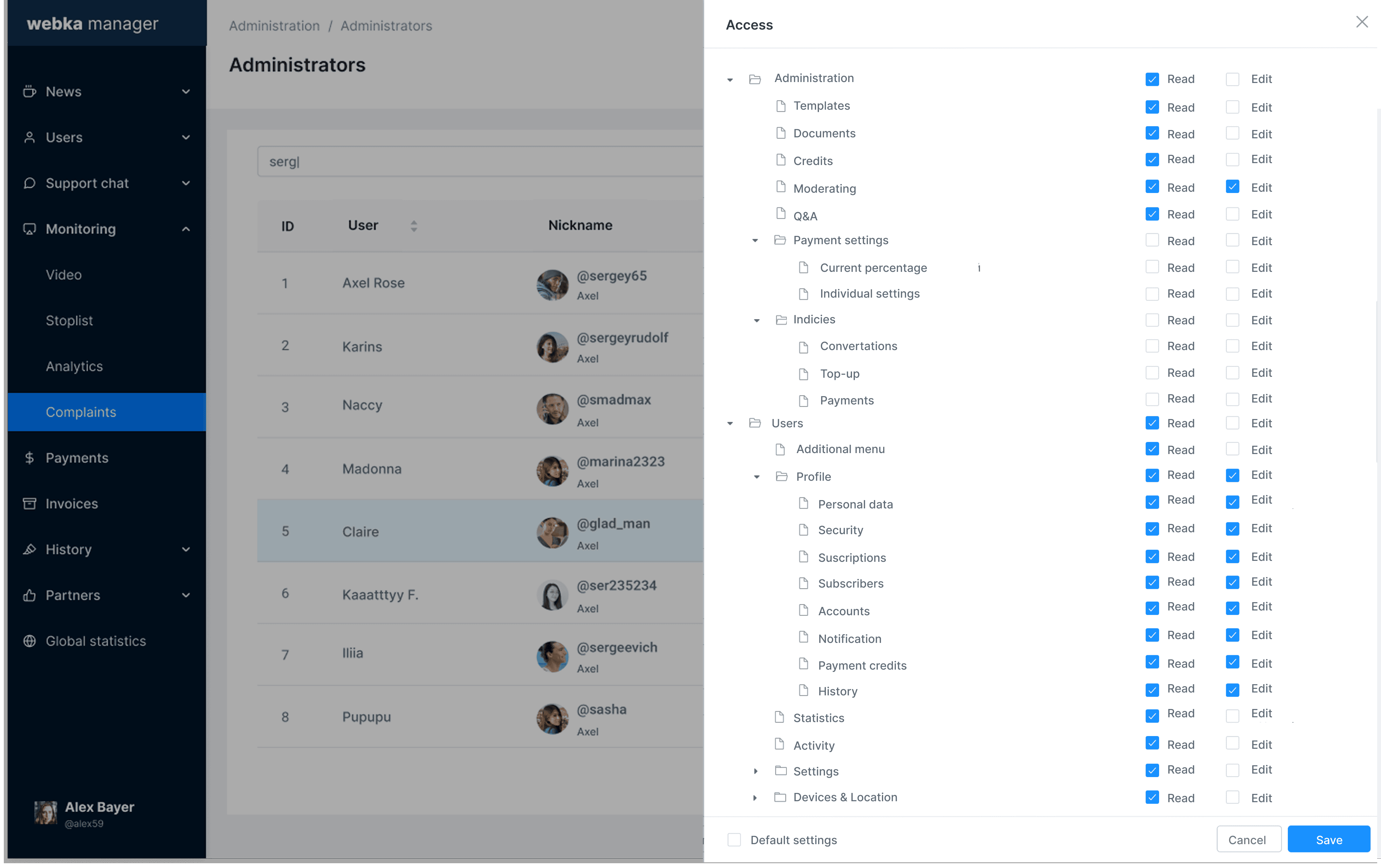
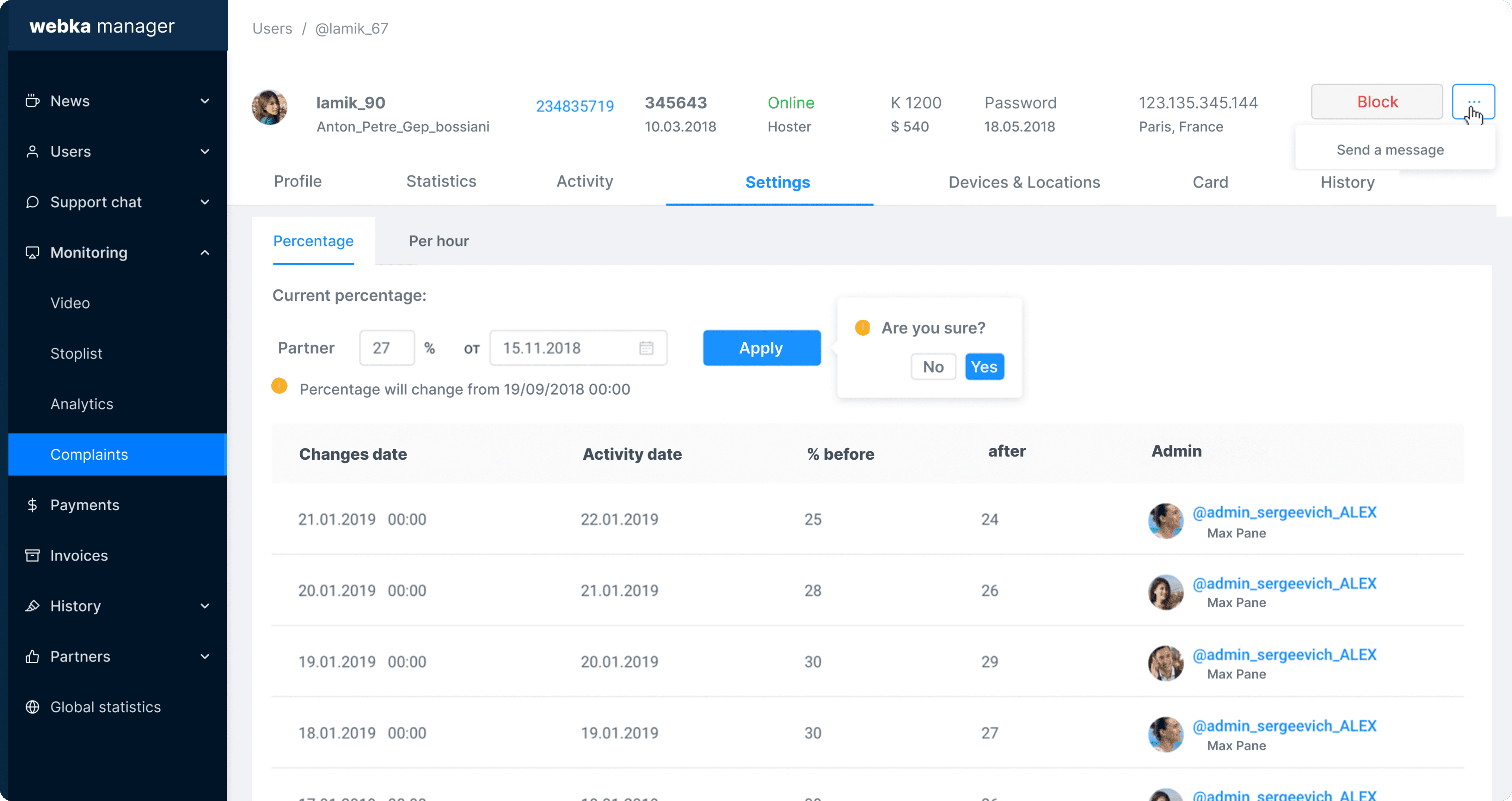
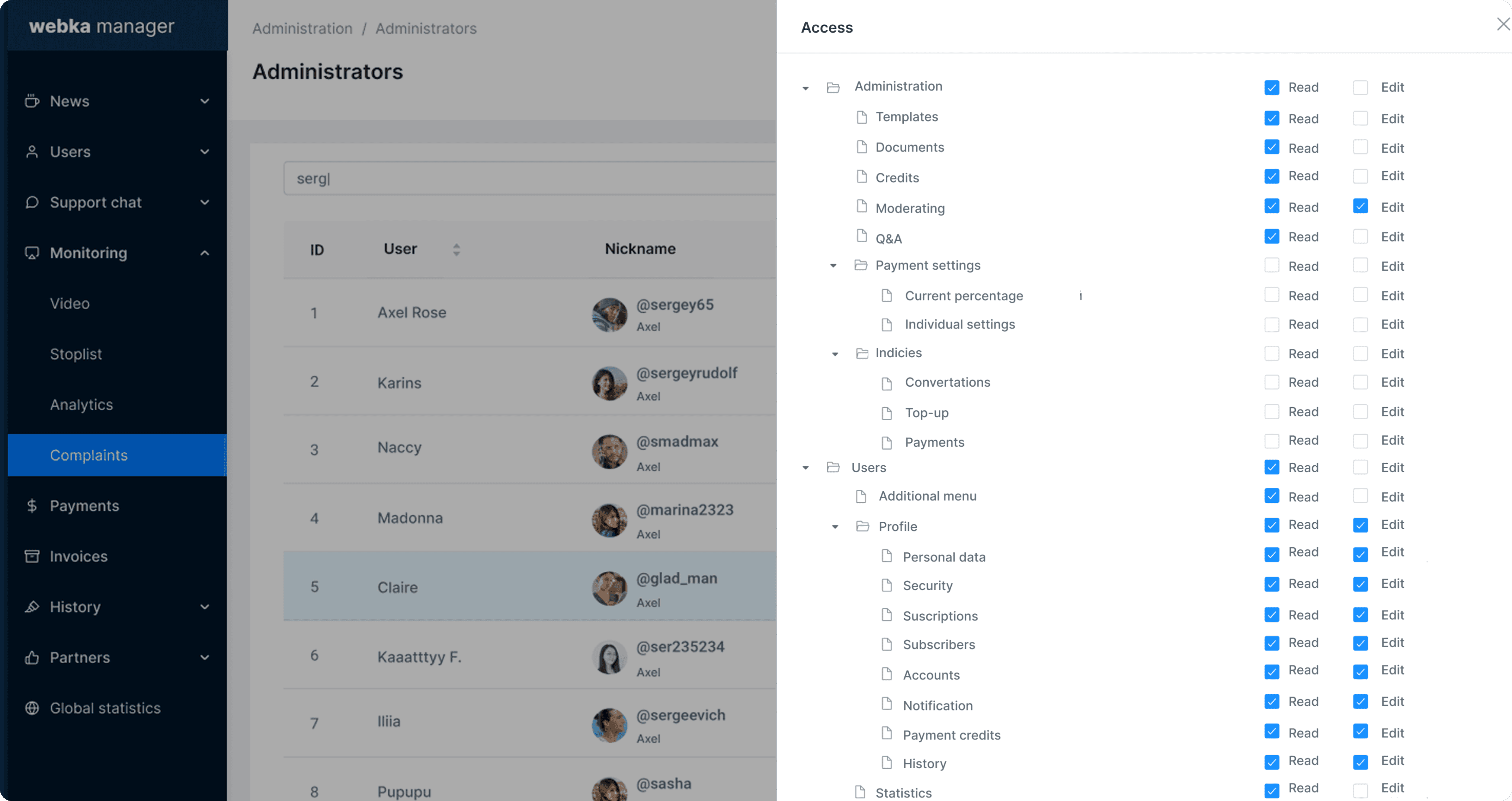
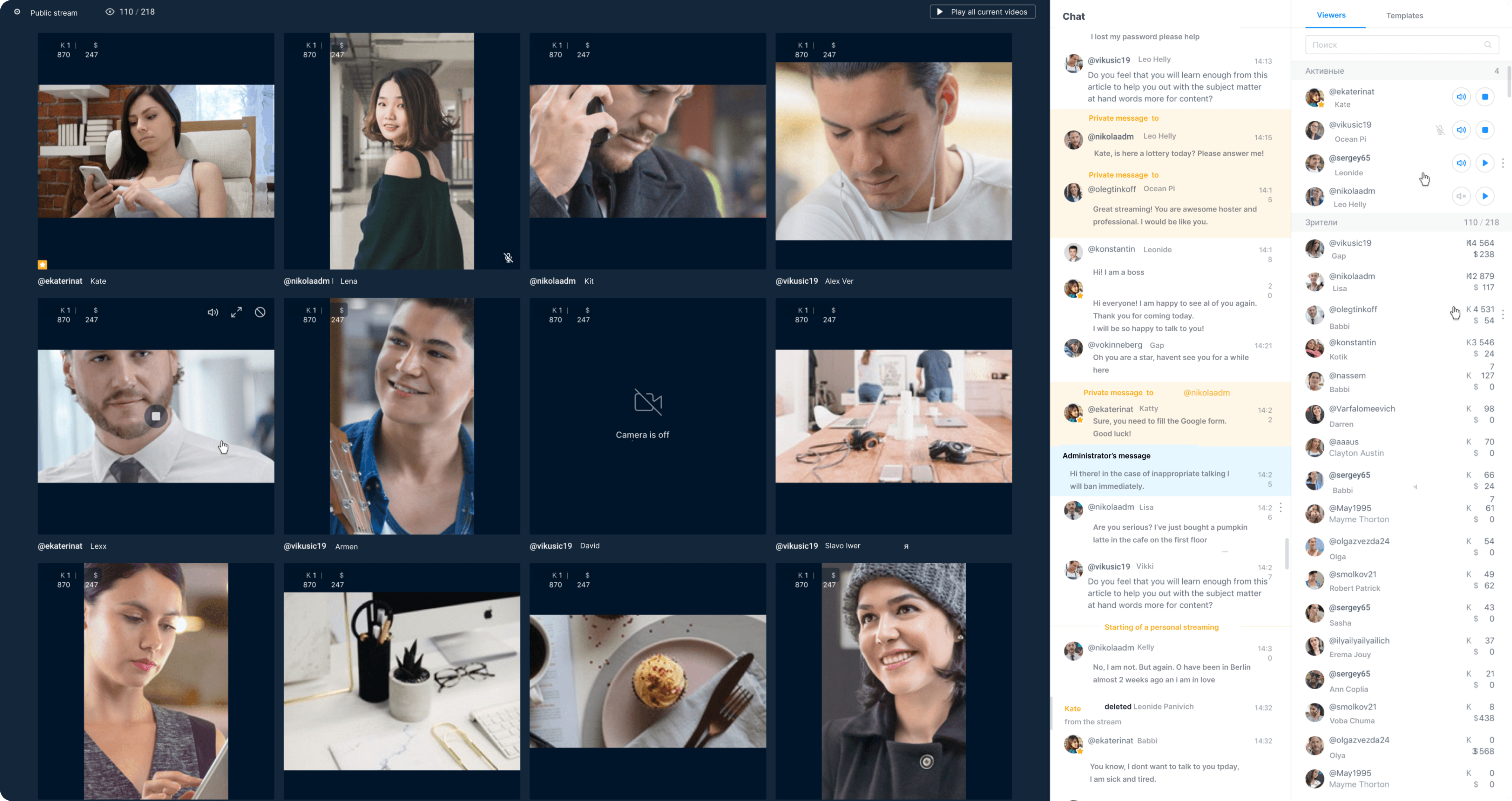
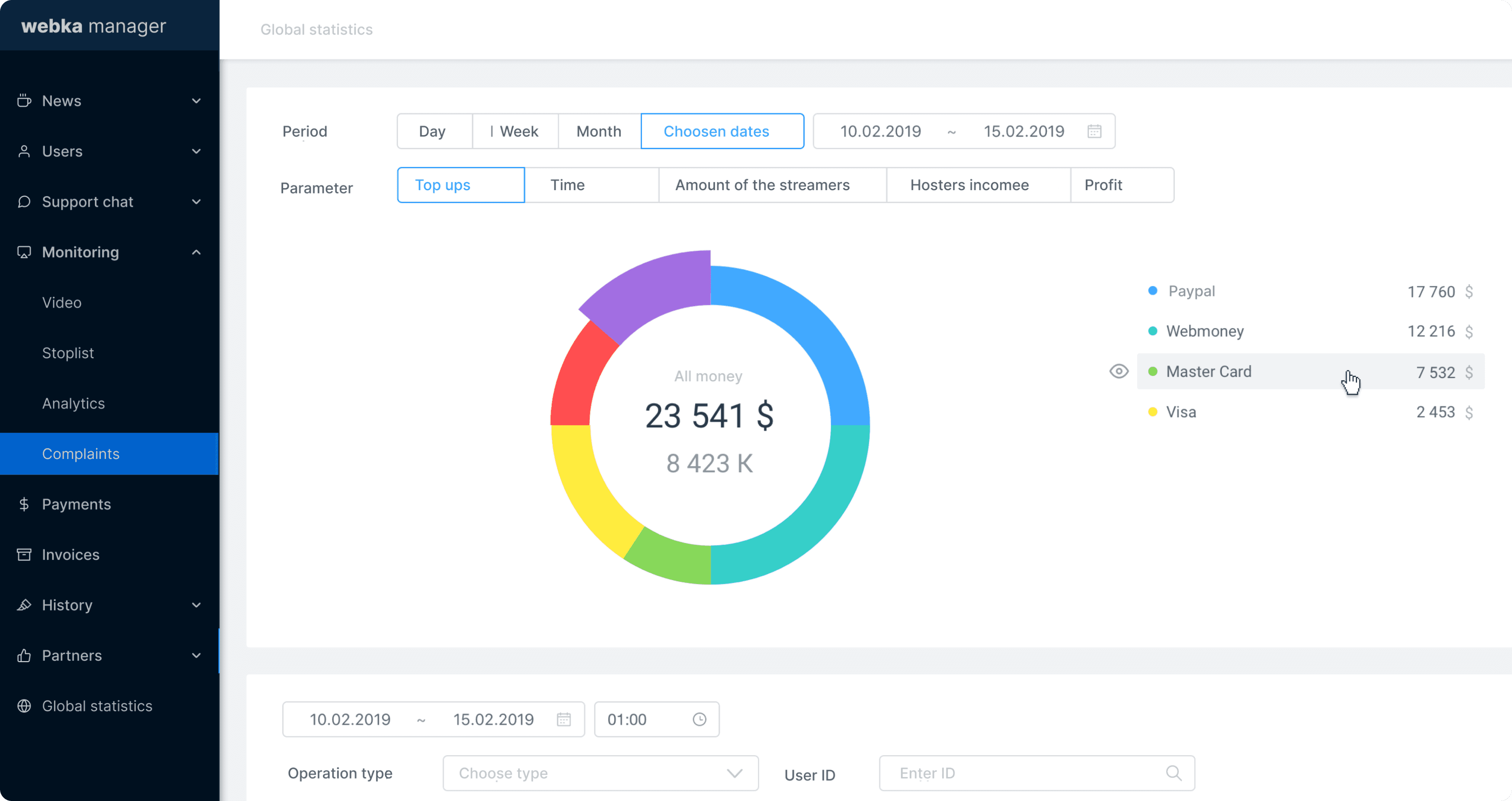
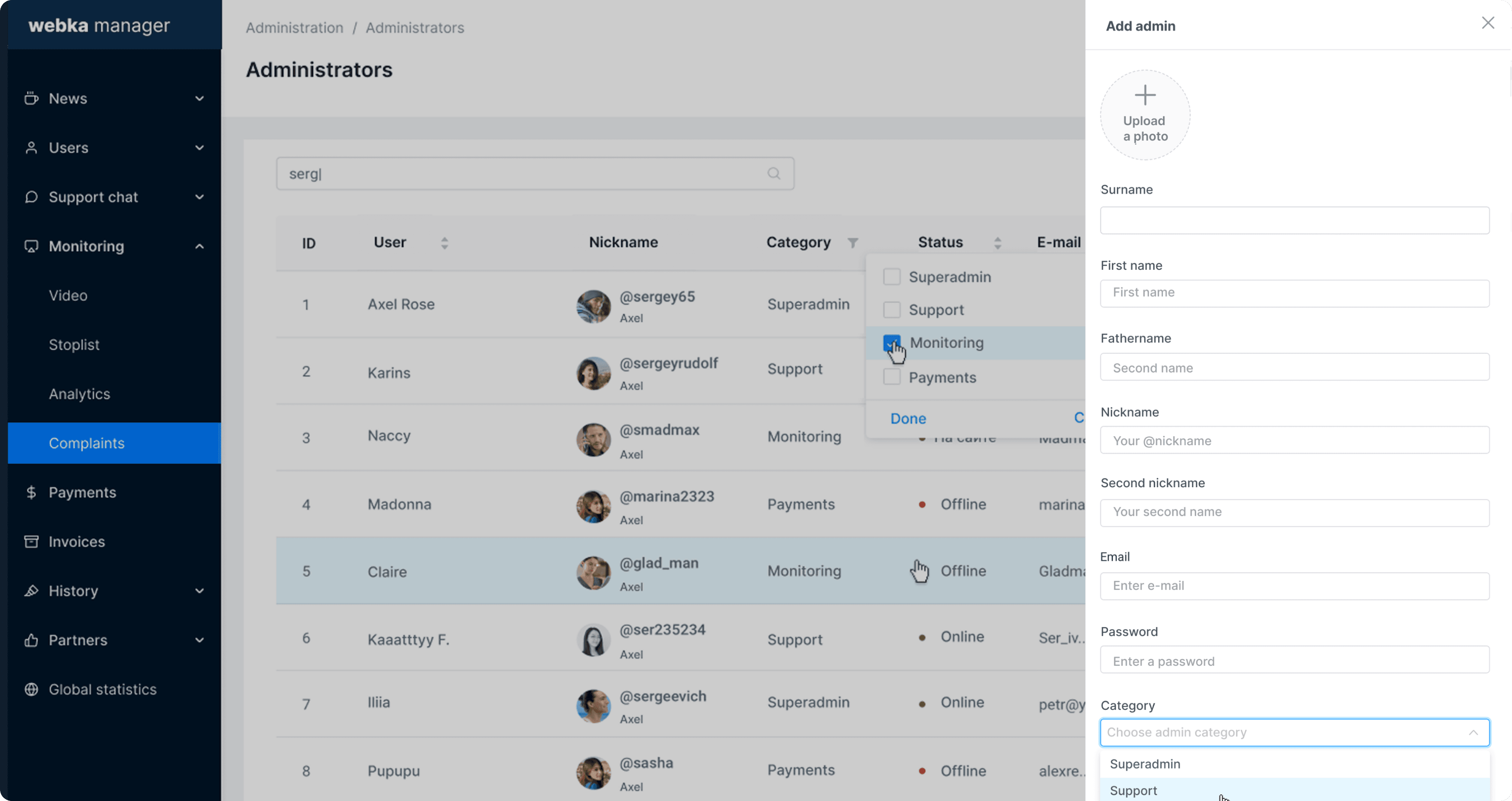
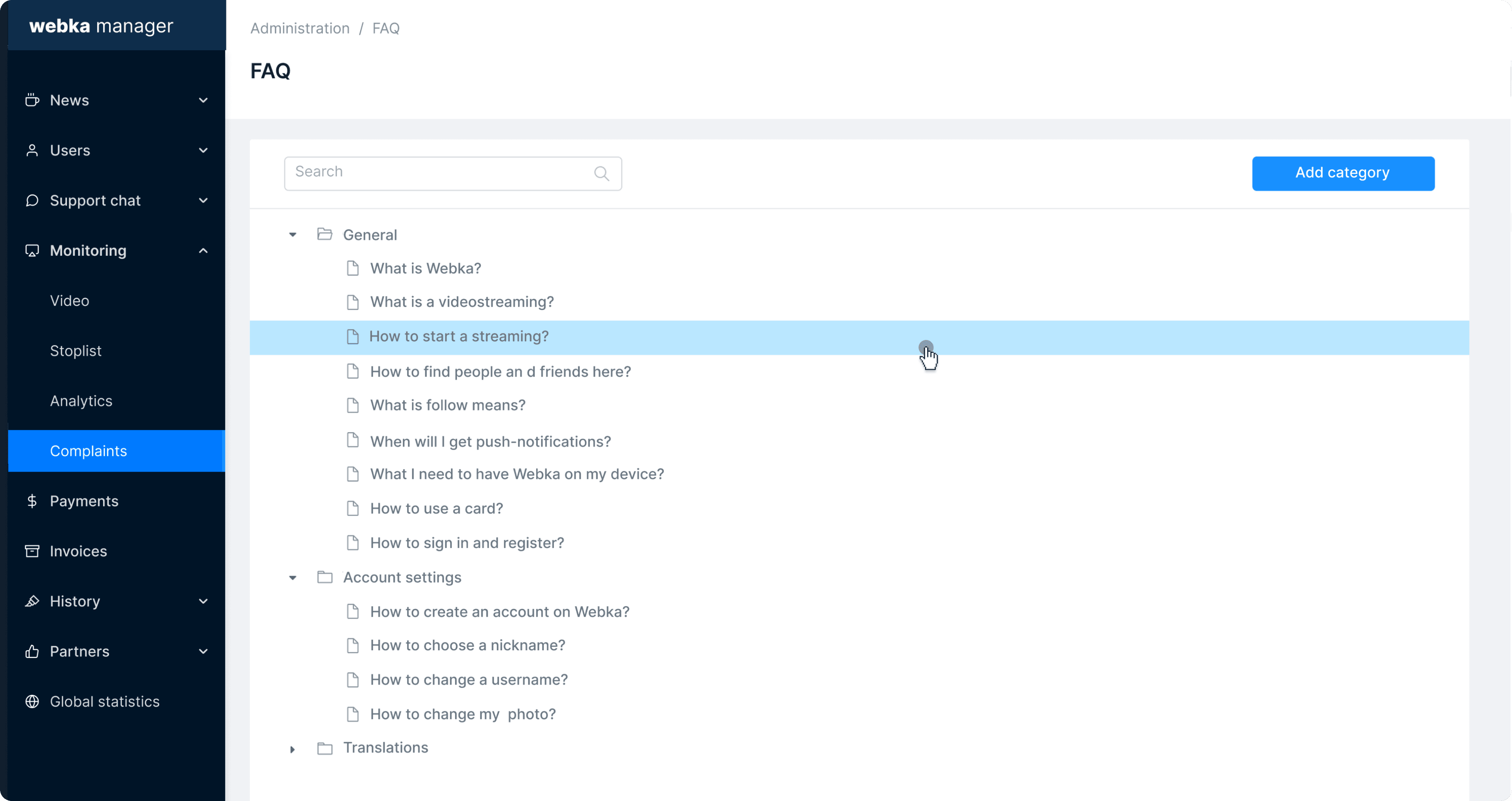
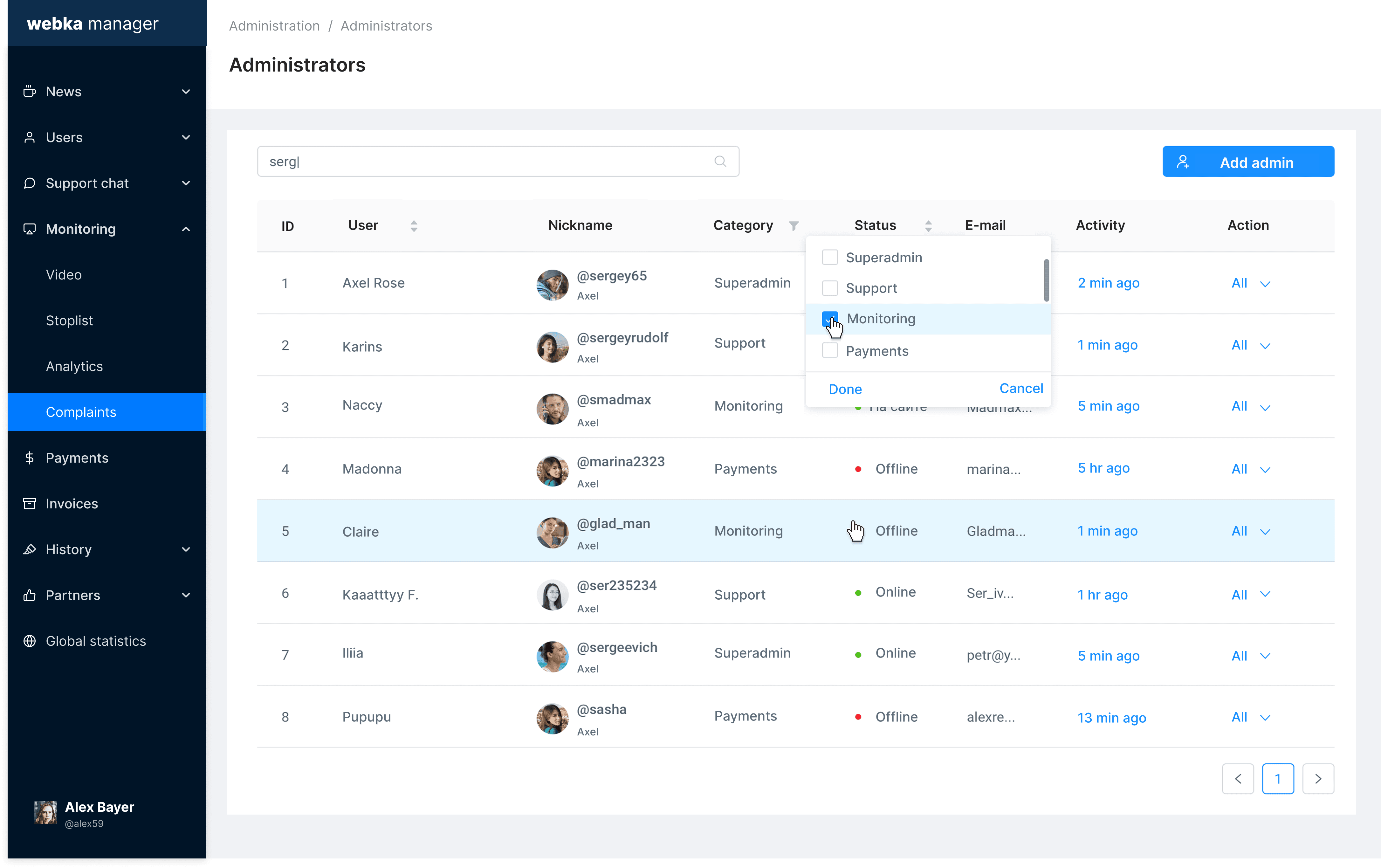
Selected screens of the Webka admin platform, including moderation dashboards, user management tools, content review workflows, and operational reporting interfaces used daily by moderators and support teams.
Domain
Content Moderation / Streaming Platform
Type
B2B / Internal Operations Tool
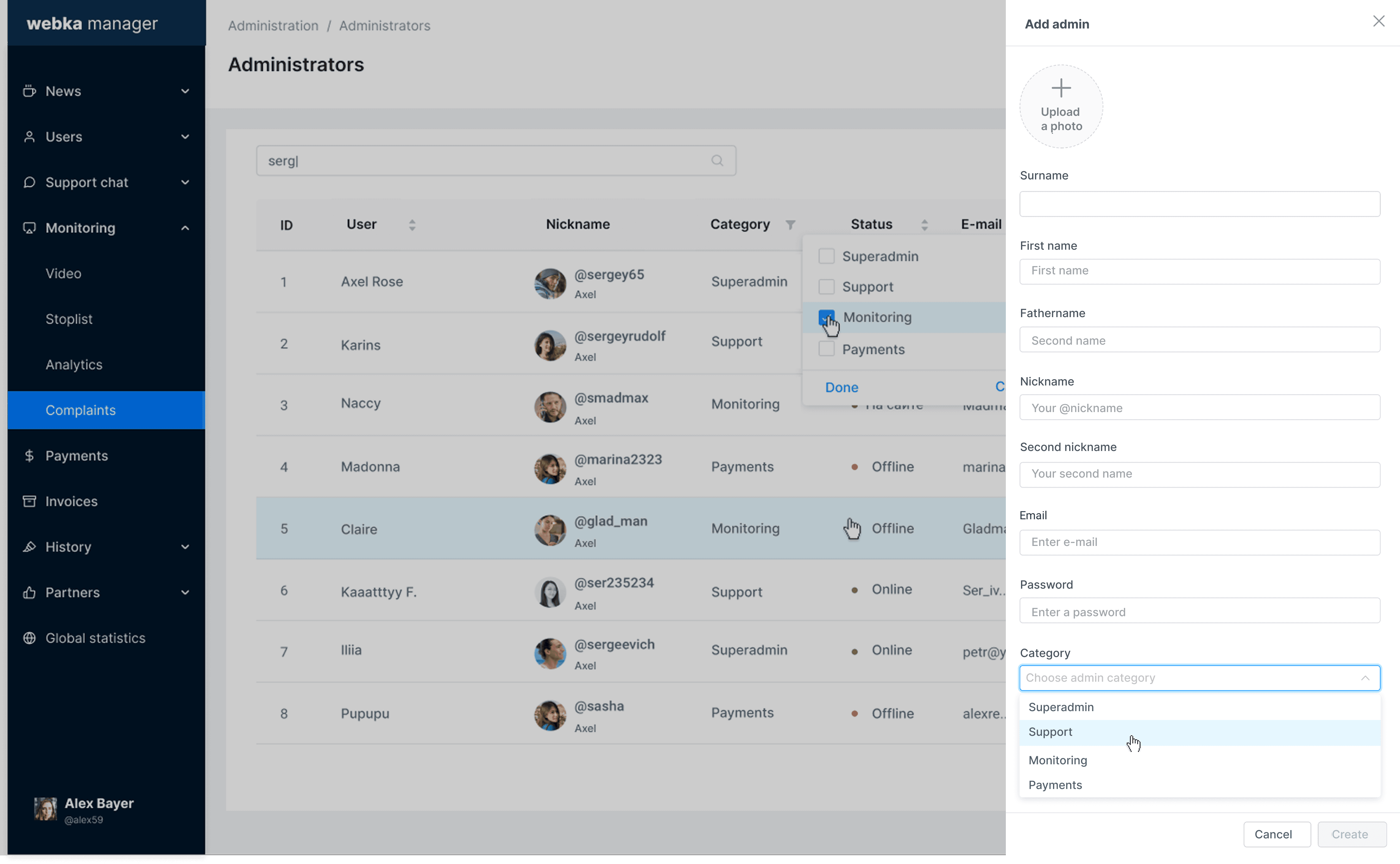
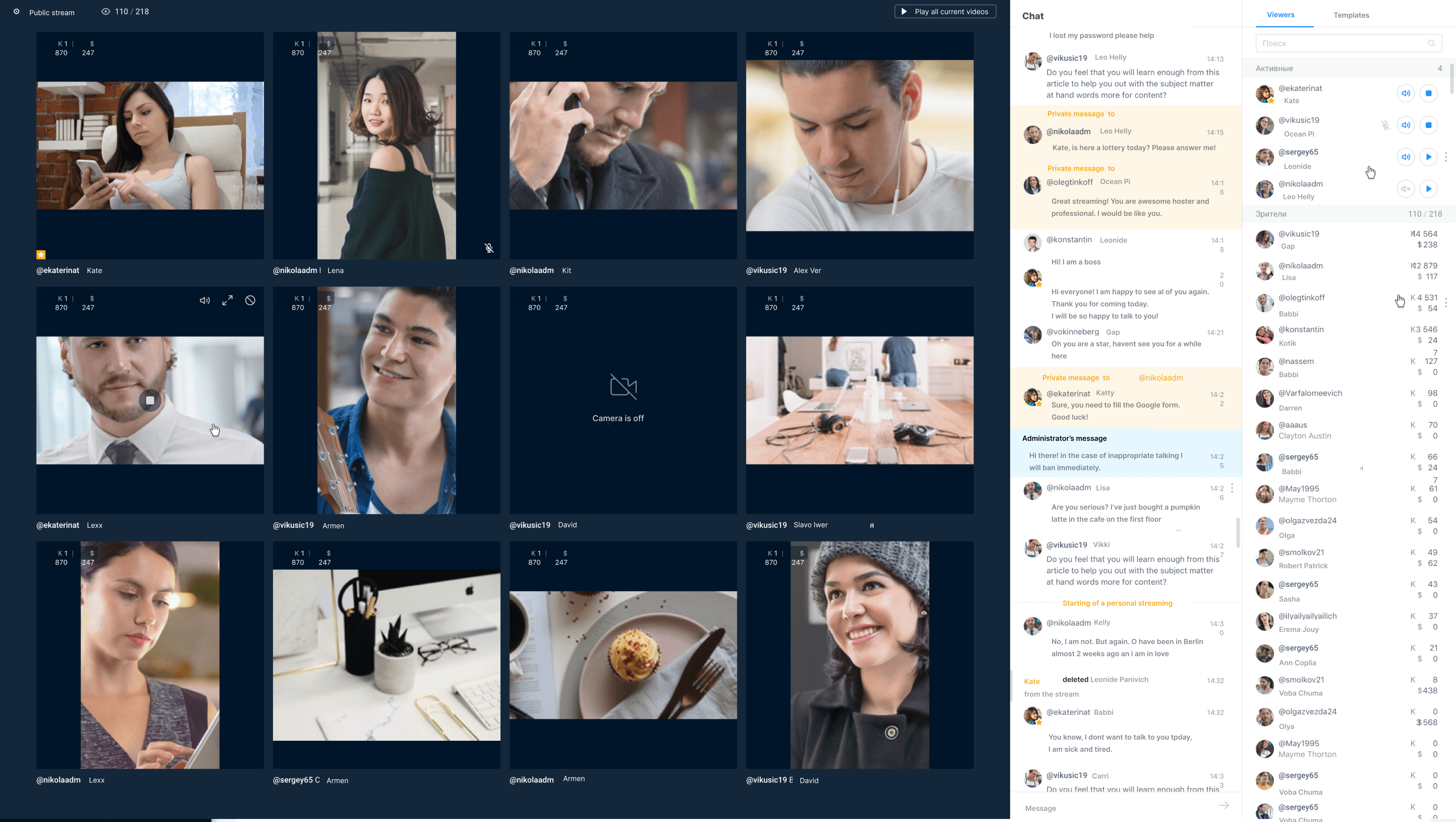
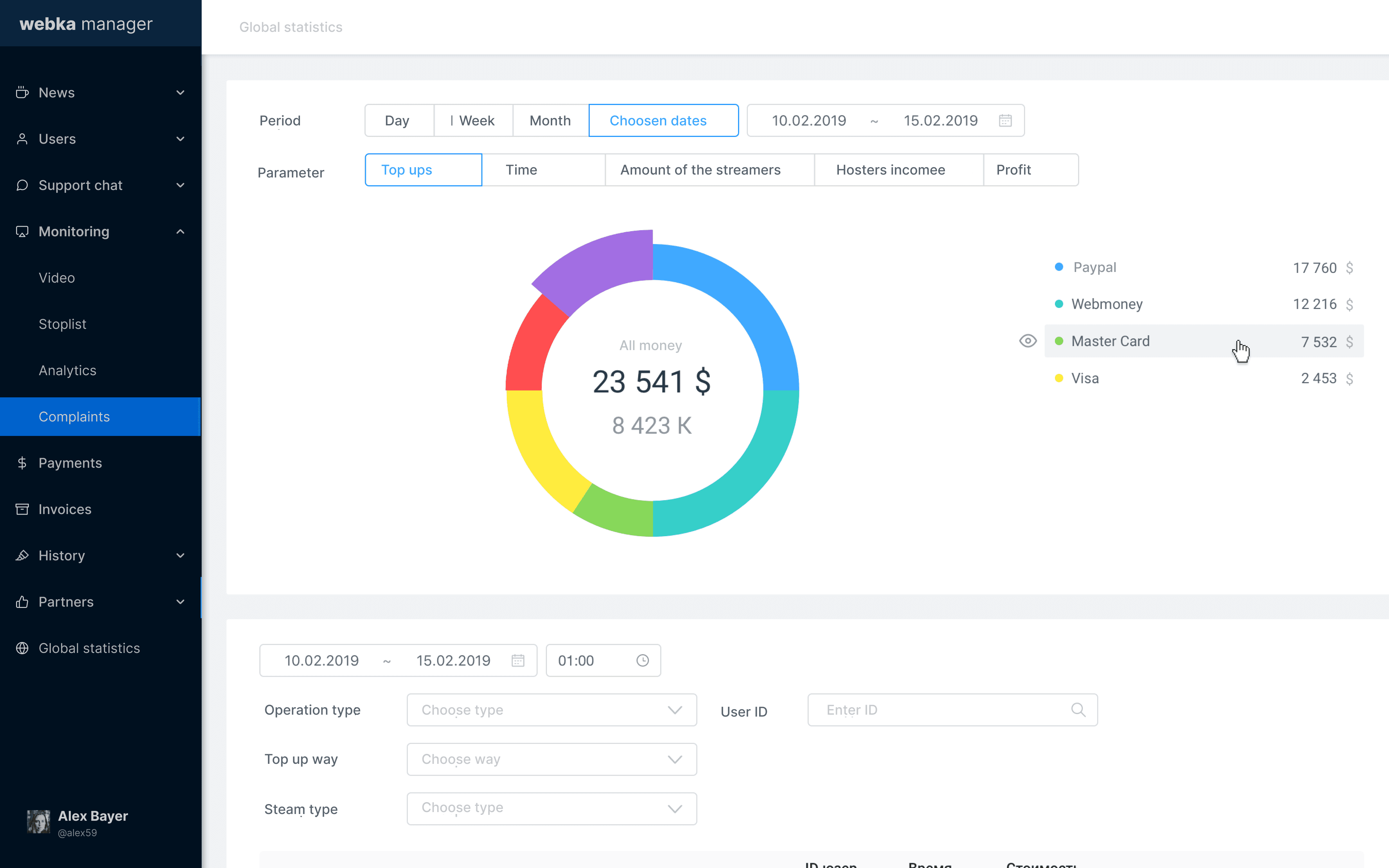
Core Product Screens
Selected screens of the Webka admin platform, including moderation dashboards, user management tools, content review workflows, and operational reporting interfaces used daily by moderators and support teams.
Domain
Content Moderation / Streaming Platform
Type
B2B / Internal Operations Tool
Role
Senior Product Designer
Scope
Dashboards, roles, filtering, operational clarity
Team
Engineers, QA, admin users, support
Case Study.
Internal Moderation & Support Tool
A unified moderation and support tool designed to streamline high-volume operational tasks, improve visibility, and reduce friction for Webka’s admin teams.
Case Study.
Internal Moderation & Support Tool
A unified moderation and support tool designed to streamline high-volume operational tasks, improve visibility, and reduce friction for Webka’s admin teams.
Problem Statement
Problem Statement
Problem Statement
Administrators and moderators struggled with:
Fragmented workstreams
Tasks and user reports were scatteredManual prioritization
No clear signals for urgency or severityHigh error risk
Misclassified cases and redundant handlingTime-consuming filtering and search
Inability to find relevant cases quicklyPoor dashboard clarity
Lack of real-time status viewsOperational fatigue & support load
Repetitive tasks and fragmented UI
These problems led to slower response times, inconsistent decisions, and higher operational costs.
Administrators and moderators struggled with:
Fragmented workstreams
Tasks and user reports were scatteredManual prioritization
No clear signals for urgency or severityHigh error risk
Misclassified cases and redundant handlingTime-consuming filtering and search
Inability to find relevant cases quicklyPoor dashboard clarity
Lack of real-time status viewsOperational fatigue & support load
Repetitive tasks and fragmented UI
These problems led to slower response times, inconsistent decisions, and higher operational costs.
Administrators and moderators struggled with:
Fragmented workstreams
Tasks and user reports were scatteredManual prioritization
No clear signals for urgency or severityHigh error risk
Misclassified cases and redundant handlingTime-consuming filtering and search
Inability to find relevant cases quicklyPoor dashboard clarity
Lack of real-time status viewsOperational fatigue & support load
Repetitive tasks and fragmented UI
These problems led to slower response times, inconsistent decisions, and higher operational costs.
Users & Stakeholders
Primary users:
Moderators
Support agents
Admin reviewers
Secondary users:
Operations managers
QA and compliance teams
Product leadership
Each group had slightly different needs: moderators wanted fast triage and action, managers wanted visibility and reporting, and compliance stakeholders wanted auditability and traceability.
Solution (High-Level)
Solution (High-Level)
My design approach focused on:
Unified Moderation Dashboard
• Central task queue with clear prioritization and status updates
• Rich filters for type, severity, source, and age of reports
• Clear visual signals for escalations and blocking decisionsRole-Based Interfaces
• Different view layers for moderators vs support agents vs managers
• Quick actions for repetitive moderation tasks
• Detailed views for escalation and reviewFiltering & Search Enhancements
• Multi-level filters, saved presets, and fast searches
• Consistent behavior across lists, queues, and reportsOperational UX Patterns
• Bulk actions for common tasks
• Inline feedback after actions
• Clear state transitions and audit trailsLightweight Reporting
• Summary dashboards with key operational metrics
• Export and sharing options for compliance and review
Process
Stakeholder interviews with moderators and support leads
Task analysis of work queues and priority behaviors
Pain point mapping and opportunity identification
Design & Prototyping
Low-fi flows for moderation paths
High-fi mockups in Figma
Iterative user validation sessions with real moderators
Delivery
Close engineering collaboration, regular demos
QA collaboration to validate edge cases
Post-launch feedback loops and quick iteration cycles
Results & Metrics
Metrics are based on qualitative feedback, admin observations, and task comparisons before vs after implementation.
↓ Task Resolution Time
Admin teams resolved reports and cases significantly faster after workflow centralization.|
↓ Escalation Overhead
Reduced redundant escalations and handoffs between reviewers.
↓ Filtering Time
Faster case discovery and reduced search friction through improved filters.
↑ Operational Efficiency
Admins and moderators handled higher volume without proportional increases in workload.
↑ Dashboard Clarity & Transparency
Managers gained real-time insights into workloads and trends.
Key Learnings
Centralization reduces cognitive load.
Moderators no longer switch between disconnected tools.Role differentiation matters.
Tailored views empower different user needs without clutter.
Filtering is a core UX feature, not an afterthought.
In high-volume queues, search and filtering define speed and accuracy.
Operational signals drive trust.
Clear states and feedback build confidence among high-stakes users.
My Role
As a Product Designer, I led the entire UX lifecycle for this internal tool:
Conducted field and remote research with moderation teams
Defined information architecture and workflows
Designed core interface patterns and interaction systems
Validated designs through iterative feedback loops
Partnered with PM and engineers through implementation
Helped establish a shared operational language across teams
Key Learnings
Centralization reduces cognitive load.
Moderators no longer switch between disconnected tools.Role differentiation matters.
Tailored views empower different user needs without clutter.
Filtering is a core UX feature, not an afterthought.
In high-volume queues, search and filtering define speed and accuracy.
Operational signals drive trust.
Clear states and feedback build confidence among high-stakes users.
Users & Stakeholders
Users & Stakeholders
Primary users:
Moderators
Support agents
Admin reviewers
Secondary users:
Operations managers
QA and compliance teams
Product leadership
Each group had slightly different needs: moderators wanted fast triage and action, managers wanted visibility and reporting, and compliance stakeholders wanted auditability and traceability.
Solution (High-Level)
Solution (High-Level)
My design approach focused on:
Unified Moderation Dashboard
• Central task queue with clear prioritization and status updates
• Rich filters for type, severity, source, and age of reports
• Clear visual signals for escalations and blocking decisionsRole-Based Interfaces
• Different view layers for moderators vs support agents vs managers
• Quick actions for repetitive moderation tasks
• Detailed views for escalation and reviewFiltering & Search Enhancements
• Multi-level filters, saved presets, and fast searches
• Consistent behavior across lists, queues, and reportsOperational UX Patterns
• Bulk actions for common tasks
• Inline feedback after actions
• Clear state transitions and audit trailsLightweight Reporting
• Summary dashboards with key operational metrics
• Export and sharing options for compliance and review
Process
Process
Stakeholder interviews with moderators and support leads
Task analysis of work queues and priority behaviors
Pain point mapping and opportunity identification
Design & Prototyping
Low-fi flows for moderation paths
High-fi mockups in Figma
Iterative user validation sessions with real moderators
Delivery
Close engineering collaboration, regular demos
QA collaboration to validate edge cases
Post-launch feedback loops and quick iteration cycles
Results & Metrics
Results & Metrics
Metrics are based on qualitative feedback, admin observations, and task comparisons before vs after implementation.
↓ Task Resolution Time
Admin teams resolved reports and cases significantly faster after workflow centralization.|
↓ Escalation Overhead
Reduced redundant escalations and handoffs between reviewers.
↓ Filtering Time
Faster case discovery and reduced search friction through improved filters.
↑ Operational Efficiency
Admins and moderators handled higher volume without proportional increases in workload.
↑ Dashboard Clarity & Transparency
Managers gained real-time insights into workloads and trends.
Key Learnings
Key Learnings
Centralization reduces cognitive load.
Moderators no longer switch between disconnected tools.Role differentiation matters.
Tailored views empower different user needs without clutter.
Filtering is a core UX feature, not an afterthought.
In high-volume queues, search and filtering define speed and accuracy.
Operational signals drive trust.
Clear states and feedback build confidence among high-stakes users.
My Role
My Role
As a Product Designer, I led the entire UX lifecycle for this internal tool:
Conducted field and remote research with moderation teams
Defined information architecture and workflows
Designed core interface patterns and interaction systems
Validated designs through iterative feedback loops
Partnered with PM and engineers through implementation
§§Helped establish a shared operational language across teams